

Joe Danger
92%


 Add To Cart

 Add To Cart






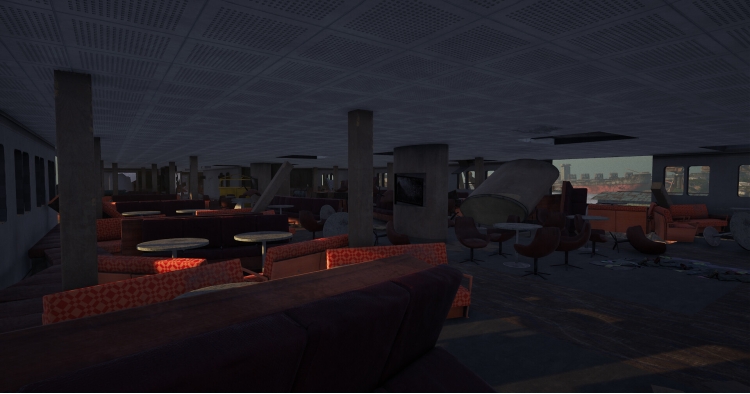










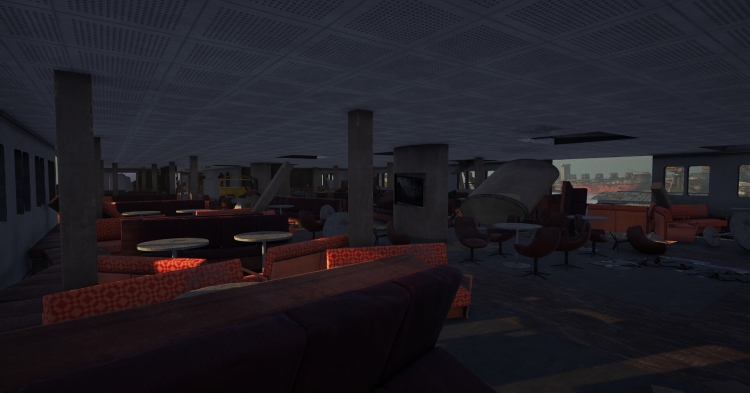



Explore, Salvage, and Uncover Hidden Treasures with the Floating Cities DLC!
Get ready to embark on a thrilling new journey with the Floating Cities DLC for Ship Graveyard Simulator 2! This time, the challenge is bigger and bolder – take on luxurious passenger ships and explore their many secrets.
Discover New Passenger Ships
Tackle the task of dismantling 3 colossal passenger vessels. These floating cities aren’t just for scrap – they hold mysteries, treasures, and opportunities you won’t want to miss. With an expanded beach area to explore, it’s time to uncover the hidden wonders of these giants.
Crack Safes and Claim Hidden Treasures
Prove your lockpicking skills as you hunt for secret safes hidden deep within the ships. Each vault holds valuable loot, waiting to be claimed by those clever enough to open them. Are you up for the challenge?
Upgrade Your Home
It's not just about shipbreaking – now you can invest in new home upgrades to personalize and enhance your space. Create a home that reflects your success and enjoy a break from the scrapyard with these exciting new features (available to all players).
Don’t wait! Dive into the Floating Cities and uncover the treasures hidden within the new passenger ships.
Buy Ship Graveyard Simulator 2 - Floating Cities DLC PC game code quickly and safely at the best prices guaranteed via the official retailer etail.market
1)
Download & install the Steam client on your
computer from here.
2)
Open the Steam client, register and login. Then,
locate the Games tab on the top menu. Click that and select “Activate a Product
on Steam..”

3)
Enter your code that is showed on the orders page
of eTail. Market and and follow the steps showed to activate your game.

4)
The game can be monitored now and you can see it
on the "Library" section on Steam. You can download and install the
game now.
5)
If you need more information and support, you
can click here: https://help.steampowered.com/en/wizard/HelpWithSteam
 92%
Add To Cart
92%
Add To Cart
 15%
Add To Cart
15%
Add To Cart
 92%
Add To Cart
92%
Add To Cart
 0%
Add To Cart
0%
Add To Cart
 70%
Add To Cart
70%
Add To Cart
 90%
Add To Cart
90%
Add To Cart
